Merge or remove neighbouring polygons#
Based on a set of conditions.
import geopandas
from shapely.geometry import box, Polygon
from geoplanar import merge_touching
Merge or remove polygons based on a set of conditions.
If polygon does not share any boundary with another polygon, remove. If it shares some boundary with
a neighbouring polygon, join to that polygon. If ``largest=None`` it picks one randomly, otherwise it
picks the polygon with which it shares the largest (True) or the smallest (False) boundary.
Example 1: remove or merge polygons under a certain area threshold#
p1 = box(0, 0, 1, 1)
p2 = box(1, 0, 11, 10)
p3 = box(15, 0, 25, 10)
p4 = box(0, 15, 1, 16)
gdf = geopandas.GeoDataFrame(geometry=[p1, p2, p3, p4])
index = [0, 3]
gdf
| geometry | |
|---|---|
| 0 | POLYGON ((1.00000 0.00000, 1.00000 1.00000, 0.... |
| 1 | POLYGON ((11.00000 0.00000, 11.00000 10.00000,... |
| 2 | POLYGON ((25.00000 0.00000, 25.00000 10.00000,... |
| 3 | POLYGON ((1.00000 15.00000, 1.00000 16.00000, ... |
gdf.plot(edgecolor='k')
<Axes: >
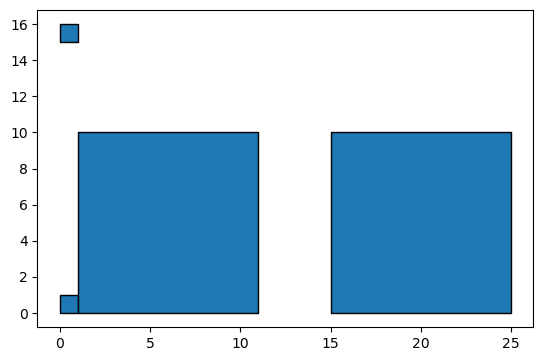
Find index of polygons with an area of less than 5#
gdf[gdf.area < 5]
| geometry | |
|---|---|
| 0 | POLYGON ((1.00000 0.00000, 1.00000 1.00000, 0.... |
| 3 | POLYGON ((1.00000 15.00000, 1.00000 16.00000, ... |
index = gdf[gdf.area < 5].index
index
gdf1 = merge_touching(gdf,index)
gdf1.plot(edgecolor='k')
<Axes: >
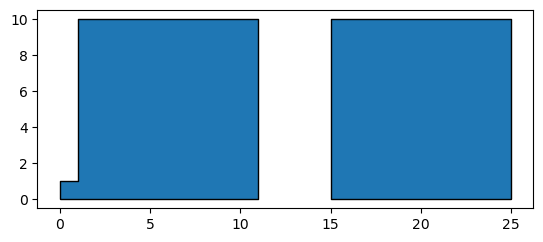
Example 2: remove or merge polygons of shape triangle#
p1 = Polygon( [[0, 0], [10,0], [10,10], [0,10] ] )
p2 = Polygon( [(10, -0), (10,-7), (14,-10), (14,0)] )
p3 = Polygon( [(10, 0), (10,5), (15,0)] )
gdf=geopandas.GeoDataFrame(geometry=[p1,p2,p3])
gdf.plot(edgecolor='k')
<Axes: >
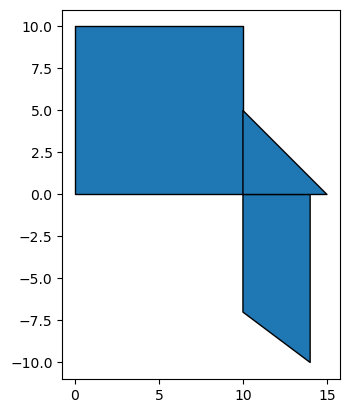
# triangles have 4 points in their exterior (first and last are the same so that the polygon is closed)
gdf['geometry'].apply(lambda x: len(x.exterior.coords))
0    5
1    5
2    4
Name: geometry, dtype: int64
gdf[gdf['geometry'].apply(lambda x: len(x.exterior.coords)) == 4]
| geometry | |
|---|---|
| 2 | POLYGON ((10.00000 0.00000, 10.00000 5.00000, ... |
index = gdf[gdf['geometry'].apply(lambda x: len(x.exterior.coords)) == 4].index
index
Index([2], dtype='int64')
gdf1 = merge_touching(gdf,index)
gdf1.plot(edgecolor='k')
<Axes: >
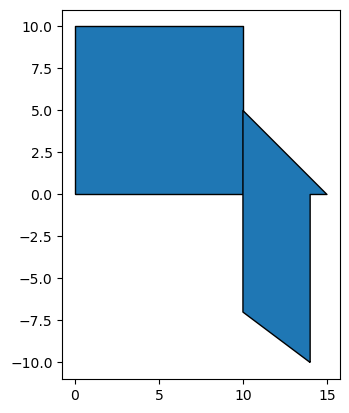
Set largest = True to merge with the neighbour with the longest shared boundary
gdf1 = merge_touching(gdf,index,largest=True)
gdf1.plot(edgecolor='k')
<Axes: >
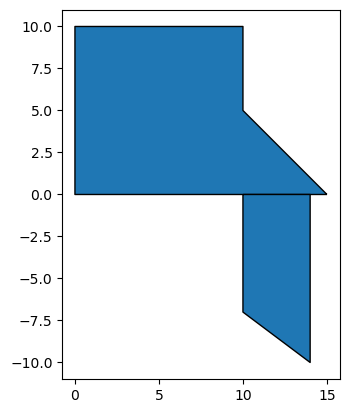
gdf1 = merge_touching(gdf,index,largest=False)
gdf1.plot(edgecolor='k')
<Axes: >