Snapping#
import geopandas as gpd
import geoplanar
from shapely.geometry import Polygon
Snaps polygon edges to each another if the distance between polygon edges is below a threshold value
p1 = Polygon([[0, 0], [10,0], [10,10], [0,10]])
p2 = Polygon([(10.4, 0), (21,0), (21,20), (10.4,20)])
gdf = gpd.GeoDataFrame(geometry=[p1, p2])
gdf.plot(edgecolor='k')
<Axes: >
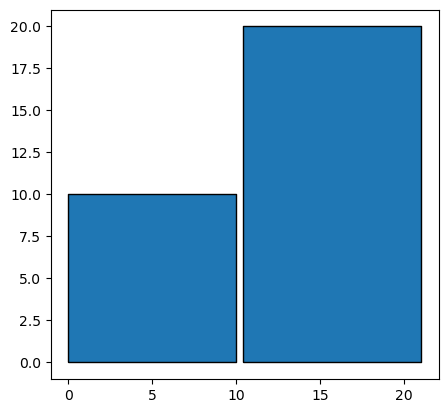
# default threshold is 0.5, so these two polygons will be snapped together
gdf1 = geoplanar.snap(gdf)
gdf1.plot(edgecolor='k')
<Axes: >
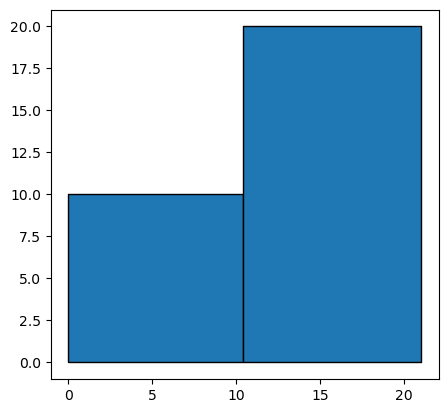
# at a threshold of 0.4 or less, polygons are not snapped together because the distance between segmentized vertices on the
# two polygons is larger than 0.4.
# threshold should be ~10% larger than the distance between the two polygon edges to ensure snapping
gdf2 = geoplanar.snap(gdf, threshold=0.4)
gdf2.plot(edgecolor='k')
<Axes: >
Irregular shape#
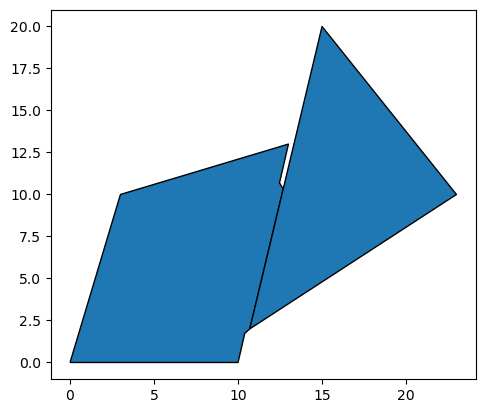
p3 = Polygon( [[0, 0], [10,0], [13,13], [3,10] ] )
p4 = Polygon( [(10.7, 2), (23,10), (15,20)] )
gdf4=gpd.GeoDataFrame(geometry=[p3,p4])
gdf4.plot(edgecolor='k')
<Axes: >
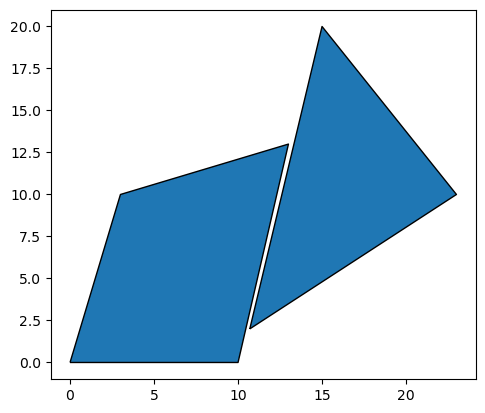
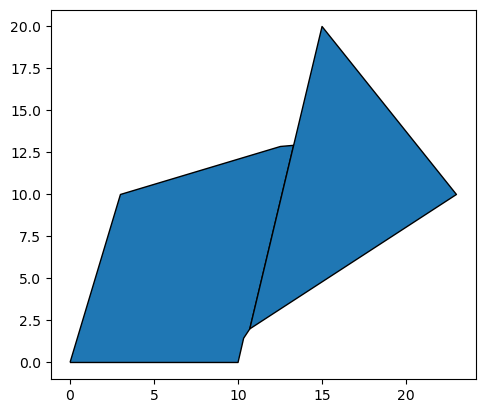
# default threshold is 0.5
gdf5 = geoplanar.snap(gdf4)
gdf5.plot(edgecolor='k')
<Axes: >
gdf5.area
0    113.62863
1     93.50000
dtype: float64
# only the sections of edges that are within the threshold distance of each other will be snapped together
gdf6 = geoplanar.snap(gdf4, threshold=0.3)
gdf6.plot(edgecolor='k')
<Axes: >
Multiple shapes#
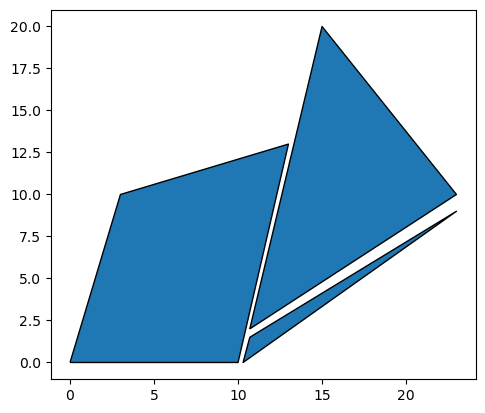
p5 = Polygon( [[0, 0], [10,0], [13,13], [3,10] ] )
p6 = Polygon( [(10.7, 2), (23,10), (15,20)] )
p7 = Polygon( [(10.7, 1.5), (23,9), (10.3,0)] )
gdf7=gpd.GeoDataFrame(geometry=[p5,p6,p7])
gdf7.plot(edgecolor='k')
<Axes: >
gdf8 = geoplanar.snap(gdf7,threshold = 1)
gdf8.plot(edgecolor='k')
<Axes: >
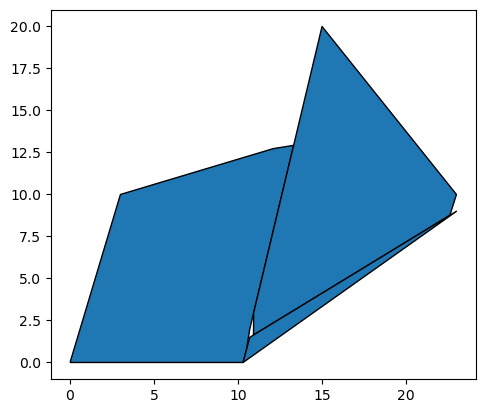
gdf8.area
0    114.114683
1    102.327758
2      7.725000
dtype: float64
Snapping may result in holes if multiple polygons are snapped to one another. This is because polygons are only snapped to one other polygon at a time, and are not optimally fitted to multiple polygons simultaneously. Further treatment can resolve this issue, such as fill_gaps().